Local
Runs on your computer with no account, telemetry or ads. Calculators, Compare, Log Times, Route Table and Bandwidth Cost work fully offline; the rest only contact the servers you point them at. What it connects to

Network Toolbox
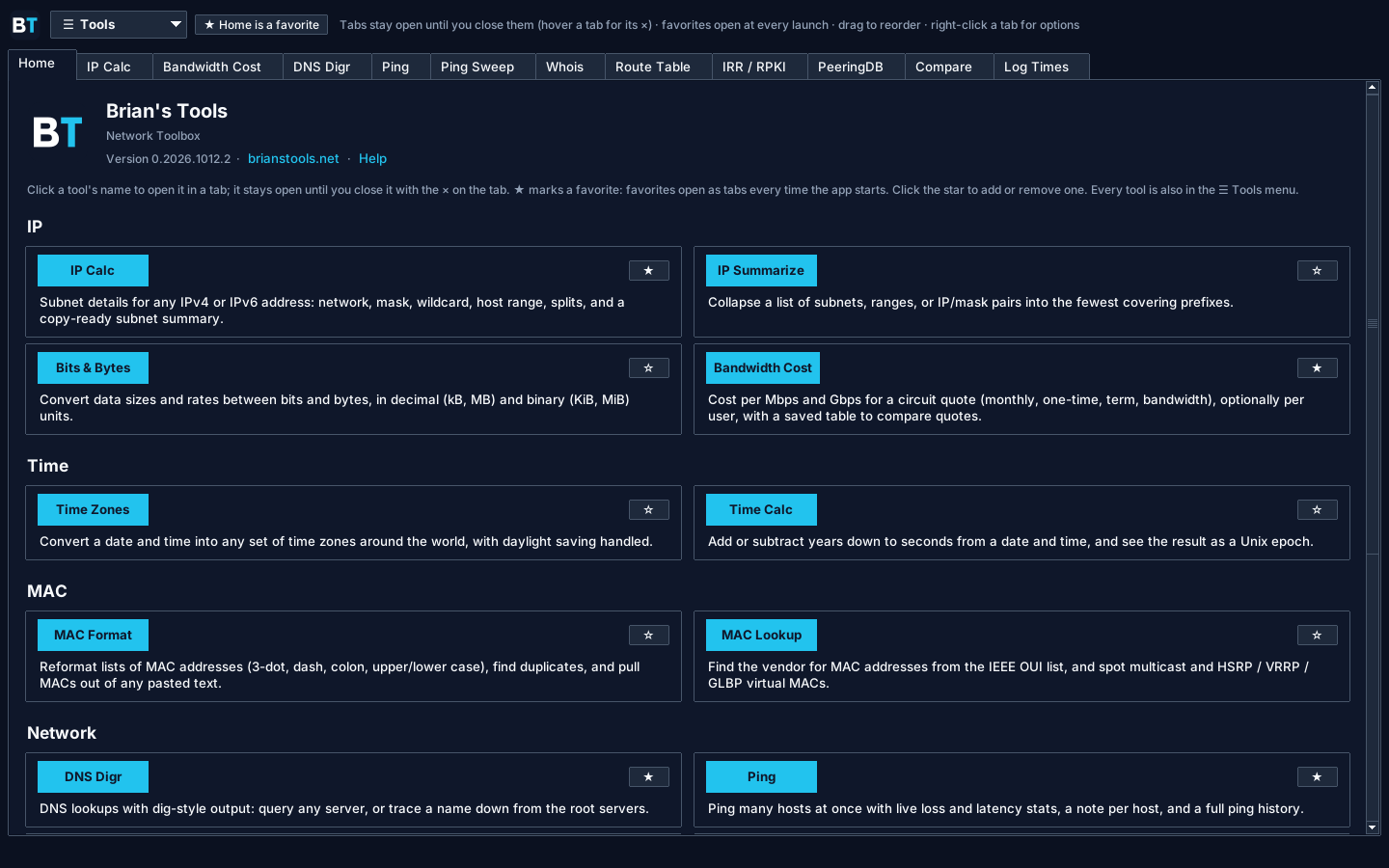
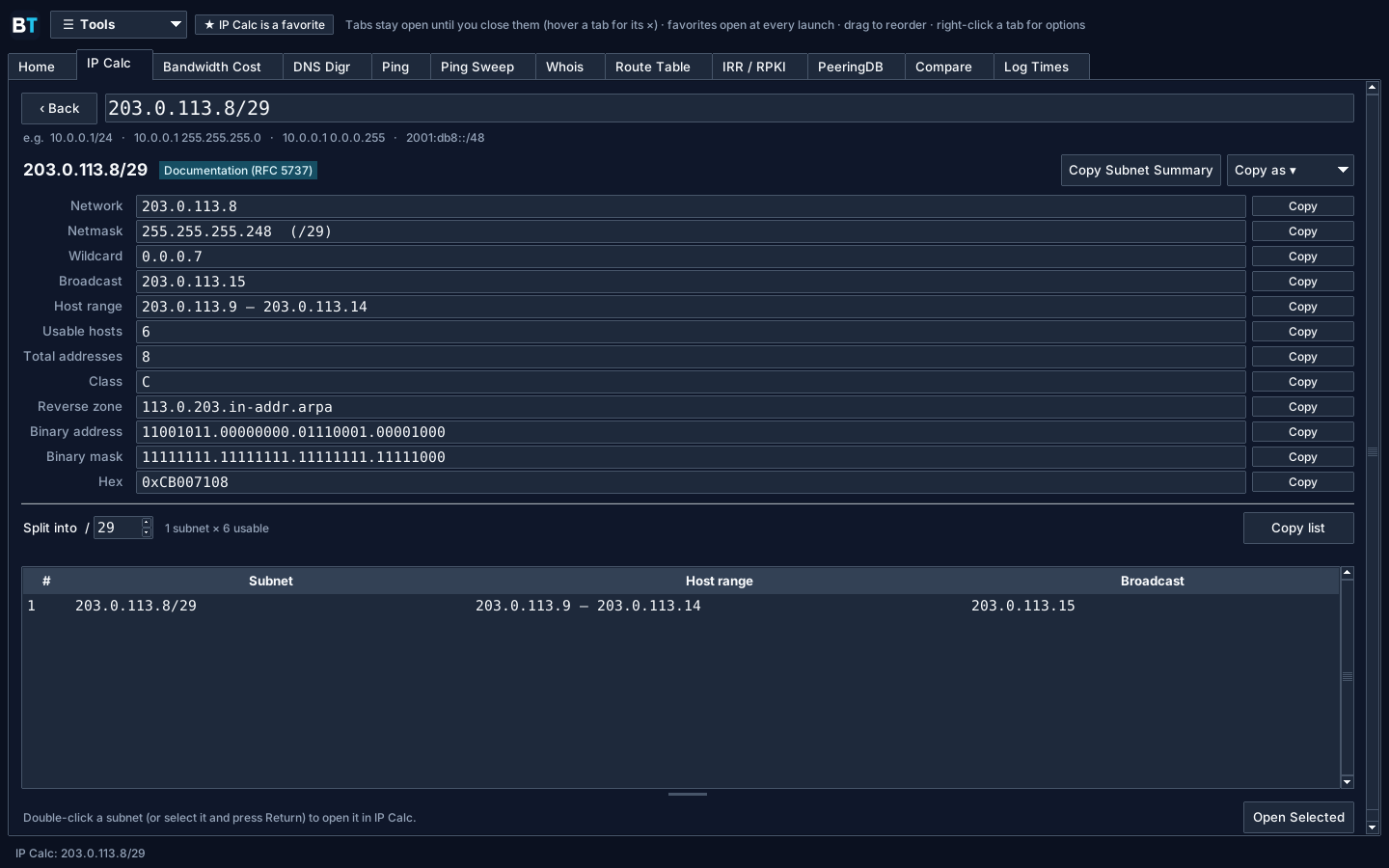
A local, lightweight network toolkit for Windows, macOS and Linux. Subnet math, DNS, ping, traceroute, whois, PeeringDB, route tables, IRR and RPKI prefix filters, MAC lookups, time zones and log timestamps — 18 everyday tools for network engineers, in one small desktop app that runs on your own machine.
New Window and clipboard fixes, Ctrl+C in tables, now runs from source →
Runs on your computer with no account, telemetry or ads. Calculators, Compare, Log Times, Route Table and Bandwidth Cost work fully offline; the rest only contact the servers you point them at. What it connects to
Built on the Python standard library: one small download that runs anywhere Python does, with nothing else to install on macOS and Linux and one small package on Windows. The help is built in (F1), and your favorites, tabs and settings are remembered.
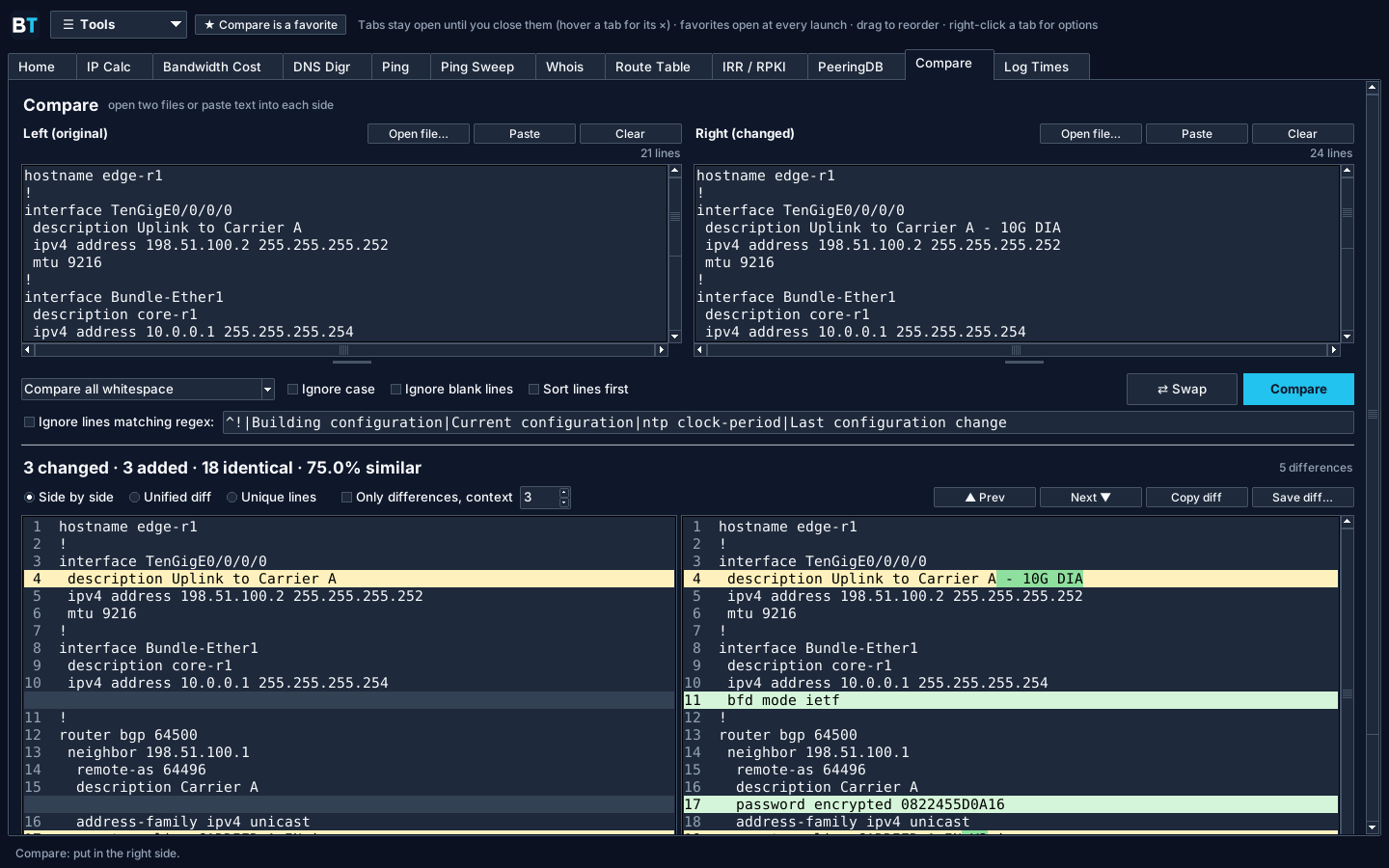
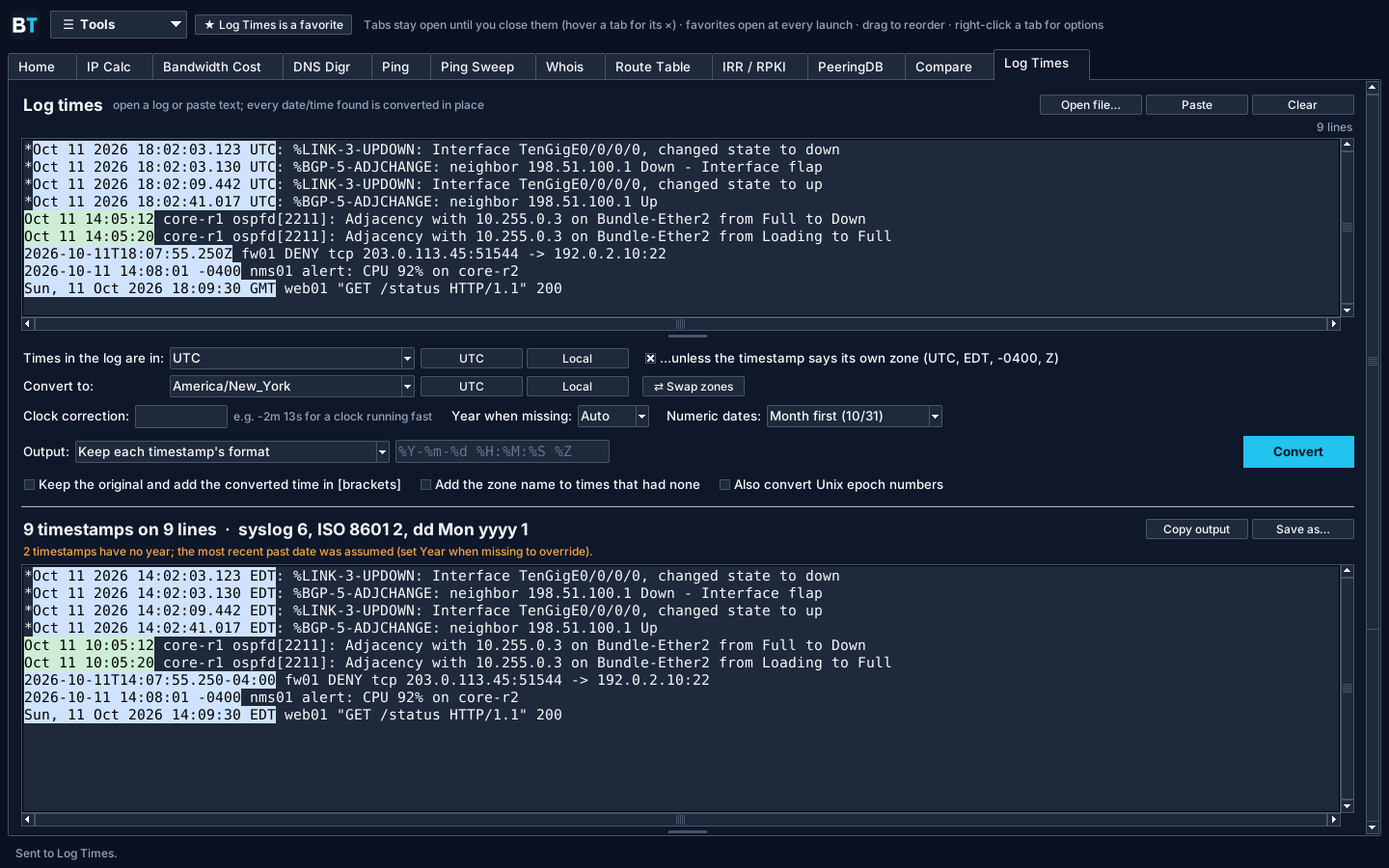
Paste show output, firewall logs or AS paths and the tools pick out what they need. Right-click → Send to moves anything between tools, every Copy gives neatly aligned text for tickets, and every box and table can be resized.
Some of the heavier lifting the toolbox does.
Look up a network by ASN, name, PeeringDB link or exchange peering IP. Peering policy, contacts, exchanges and facilities, with a click through to Whois or IRR / RPKI.
Paste IPs, prefixes, ASNs or a whole firewall log and get origin AS, BGP prefix, AS name and registry in one bulk query, over whois or DNS. ARIN and RDAP are one click away.
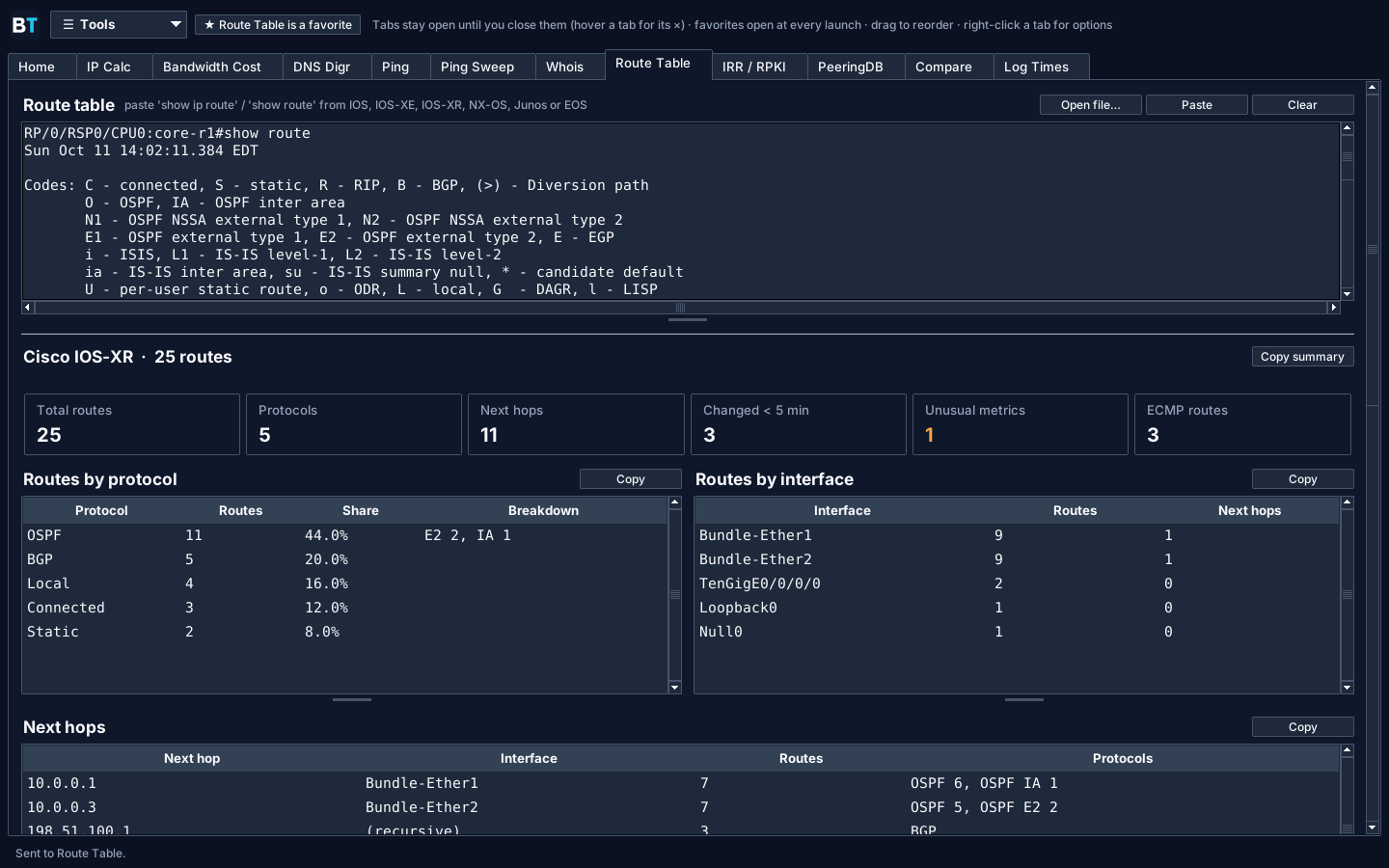
Paste show ip route or show route from IOS, IOS-XE, IOS-XR, NX-OS, Junos or EOS. Get routes by protocol, interface and next hop, ECMP, recent changes and suspicious metrics.
Expand AS-SETs from the IRR like bgpq4, validate every route object against RPKI, and output prefix filters for IOS-XR, IOS-XE / NX-OS, Junos, EOS and Nokia SR OS / SR Linux.
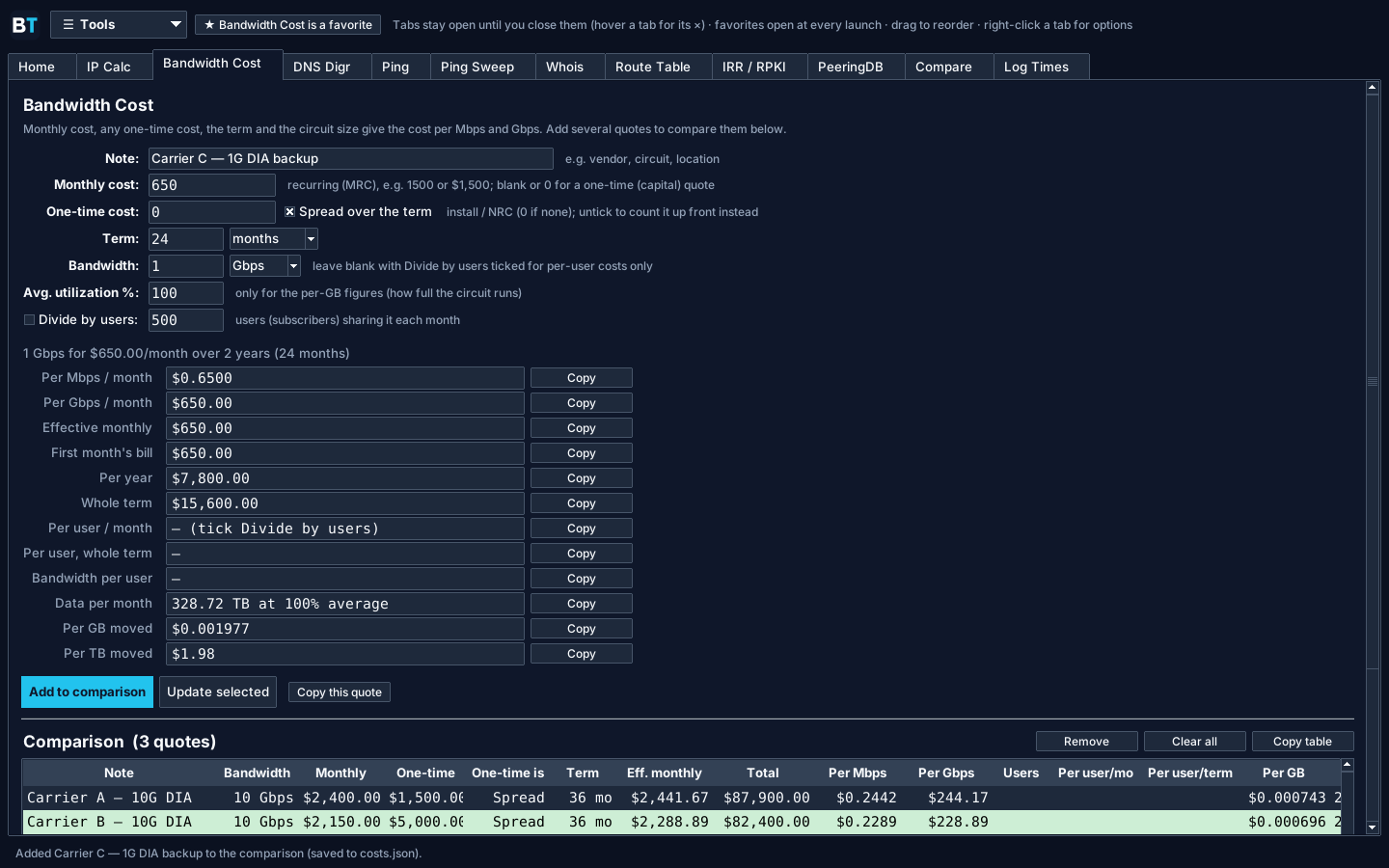
Cost per Mbps, per Gbps, per user and per GB moved, with install costs spread or up front, and a saved table for comparing quotes.
Right-click any IP, MAC, host name or table cell and send it to another tool, which runs it straight away.
Start from the Home tab, star the ones you use as favorites, and find the rest in the ☰ Tools menu.
Brian’s Tools runs from its Python source. Pre-built apps are no longer provided, so setup is three short steps. Version 0.2026.1115 · released November 15, 2026.
git clone https://github.com/briandean/brianstools.gitpy -m pip install tzdatabrew install python python-tksudo apt install python3 python3-tksudo dnf install python3 python3-tkinterpy brianstools.pyWindowspython3 brianstools.pymacOS / LinuxUpdating: download the code again and replace the folder. Your settings are kept separately, so nothing is lost.
Want a standalone app? You can still build one for your own system with build.py. How to build it
What’s new · Releases · Source code on GitHub · More on running it · Help